
Yubico opens applications to test a post-quantum YubiKey
A new chip will let selected testers try post-quantum passkeys and smart-card credentials. The existing key on your key ring has fixed firmware.
Reading tools for text size, copying, printing and your reading list
Yubico opened applications on November 3 to test a new hardware security key that can sign a passkey login using post-quantum cryptography.[1][2]
For someone with a YubiKey already on their key ring, the important detail is inside the device. The beta uses a new secure chip. Yubico’s technical manual says the firmware on existing keys is fixed at the factory. This announcement offers a different device to evaluate.[1][3]
Who gets to try it?
A developer or identity team can apply. Yubico limits places and supplies release notes, technical manuals and reference environments after acceptance. It describes this as an evaluation program. The public notice gives no retail price or general sale date.[1]
Inside a passkey sign-in
Follow the signature back to the website
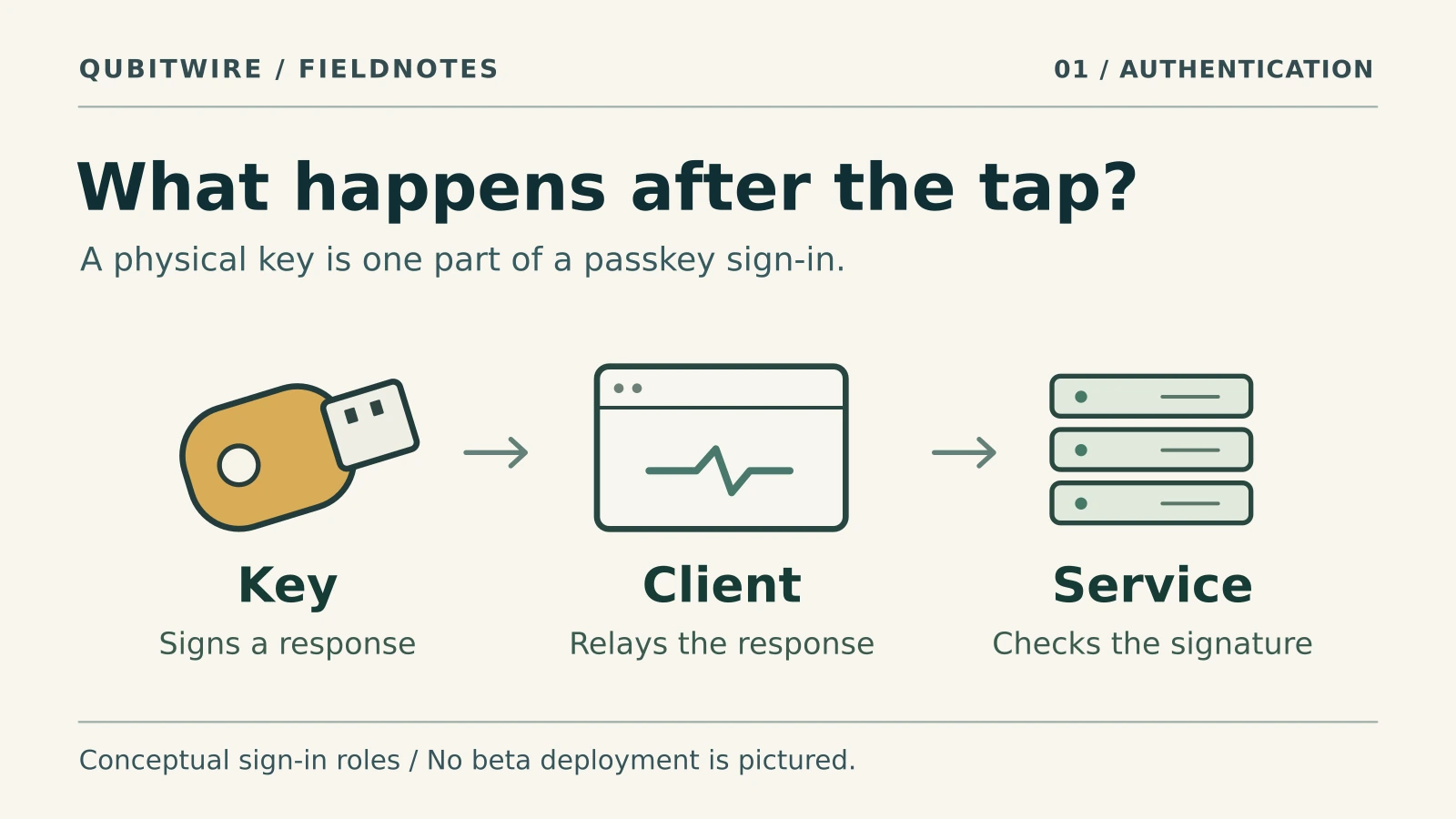
The website starts by sending a fresh challenge. On the way back, a signed response passes through three hands. Open each step to see what an evaluator could check.
1. The hardware key signs
When you approve the request, the key uses the private part of the credential registered for that website. The signature covers information about the authenticator and a digest of the browser’s record of the request.
What to check · Which credential did the test use? Its registration should identify ML-DSA if the team is evaluating a post-quantum passkey.
2. The browser carries the response
The browser connects the requesting site to the key. It delivers the signature alongside the data the server needs to check it, including the challenge and which website requested the sign-in.
What to check · Record the browser and operating system versions for the same registration and sign-in. That gives another team a specific setup to reproduce.
3. The website verifies the proof
The server checks the challenge and the website identity, then verifies the signature with the public key it saved at registration. That public key identifies the signature algorithm for this credential.
What to check · Can the test service identify the credential and algorithm it verified? That record distinguishes an ML-DSA sign-in from one using an older signature scheme.
This is a conceptual walkthrough. QubitWire has not tested a beta key. WebAuthn verification steps · Yubico’s beta test scope
What changes when you sign in
Suppose you registered a security key with your employer. The employer’s service kept a public key. The next time you sign in, it sends a fresh challenge through your browser. When you approve the request, the hardware signs a response bound to that challenge and service. The service checks the signature with the public key it saved. Someone who copied yesterday’s response would be answering the wrong challenge.[4]
ML-DSA changes how that signature is made and checked. NIST standardized ML-DSA, a signature scheme based on mathematical problems believed to resist attacks from large quantum computers. Yubico says the beta lets participants create a passkey using ML-DSA and then authenticate with it. It also lists updated FIDO2 and Java libraries for developers working on the server side of the exchange.[1][5]
There is a second check at registration. A service can ask for evidence about the authenticator that created a credential. That evidence is called attestation. It answers a question about the device’s origin. On the next visit, the service uses the credential’s signature to answer a different question about who holds the key now. Yubico lists a new form of attestation among the features under development.[1][4]
The second algorithm serves a different purpose
Yubico also lists tests for organizations that issue digital certificates for smart-card credentials, commonly called PIV. Here the key can be evaluated for both ML-DSA signing and ML-KEM key encapsulation. ML-KEM lets two parties establish a secret they can use to protect later communications. It does not sign the passkey response. The public beta description names the algorithm families but does not specify which parameter sets the key implements.[1][5][6]
What would count as a successful test?
A developer could register a fresh ML-DSA credential on a test account, record the algorithm the service accepted and then check that the same credential signs a new challenge. Recording the key, browser and server versions would let another team repeat the exercise. That detail matters because Yubico also advertises support for conventional credentials. A familiar green login check alone would leave open which signature the service actually verified.[1][4]